About 'Stellar Commander'
Since 'Star Commander' is not under active development anymore and since it does not support the XUM1541 device, I was looking for a replacement on my Linux system. No available tools came even close to 'Star Commander' and using the opencbm tools was a pain in the butt, so I decided to create 'Stellar Commander'. The layout resembles 'Star Commander' but is kept much simpler, since I am no Python expert at all ;)
'Stellar Commander' is basically a frontend for the opencbm tools, so these have to be installed (in your $PATH) and a working XUM1541 device must be present/connected.
Screenshot
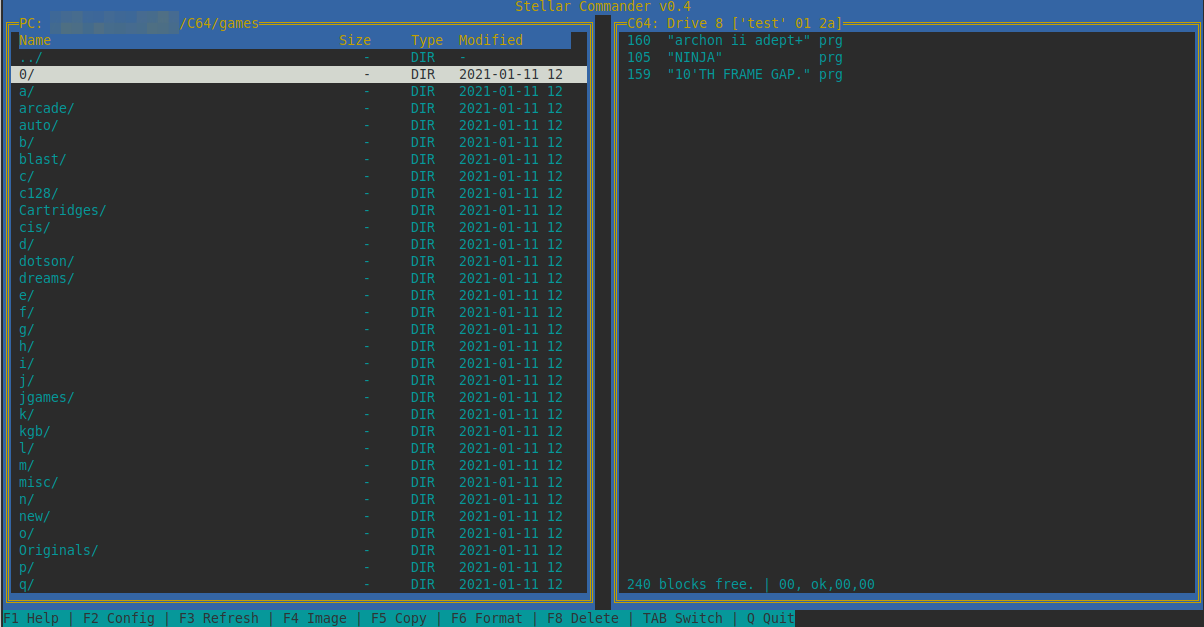
Current version
- Stellar Commander v0.7
- Stellar Commander v0.62
- Stellar Commander v0.5
- Stellar Commander v0.4
- Stellar Commander v0.3
- Stellar Commander v0.2
- Stellar Commander v0.1
History/Changes
- 02.08.2026
- 0.7 - Fixed missing colored bar on menu items PC side, added ability to browse D64/T64 files and enable F5 on them
- 01.08.2026
- 0.62 - Fixed timeout while disk copy, cleaner tmp purge at end, added scroll bar
- 09.02.2026
- 0.5 - Fixed screen redraw problem during cursor move, added timeouts as fallback (might not be accurate), minor cleanups
- 02.08.2025
- 0.4 - Fixed a bug with scrolling with many files in the directory, added HOME/END/PGUP/PGDOWN keys to quickly navigate
- 05.07.2025
- 0.3 - Added progress bar to F5 file copy (both directions), fixed bug that would not show new disk after format, better regex for disk title
- 03.07.2025
- 0.2 - Added F2 key to configure drive ID and connection, GUI improvements (file details, color), progress bar added for format, add support for .t64/.p00 copy
- 29.06.2025
- 0.1 - Initial version. Working so far for me, config works, transfer works (bi-directional), ZIP browsing and transfer (PC->C64), formatting.
Contact
For general inquiries use the Forum64 post here.
Links
- https://sta.c64.org/sc.html - Star Commander Homepage
- https://www.aj.de - aj IT Consulting - Thank you for providing the hosting space @Andreas Jutzy 🤗